Hello,
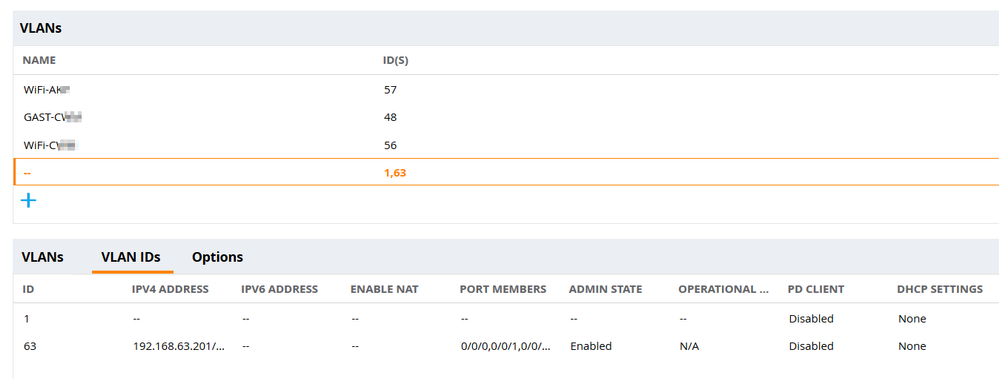
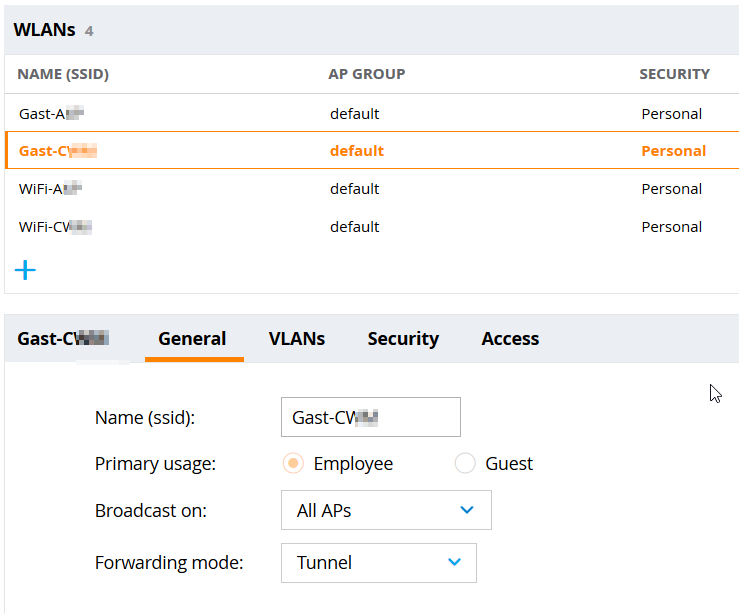
I´m currently setting up a new network for a customer, which would like to have 4 SSIDs, each with a different VLAN and normal WPA2 login.
(I know, there are other ways, but the customer want´s it exactly like that).
This is the current setup:
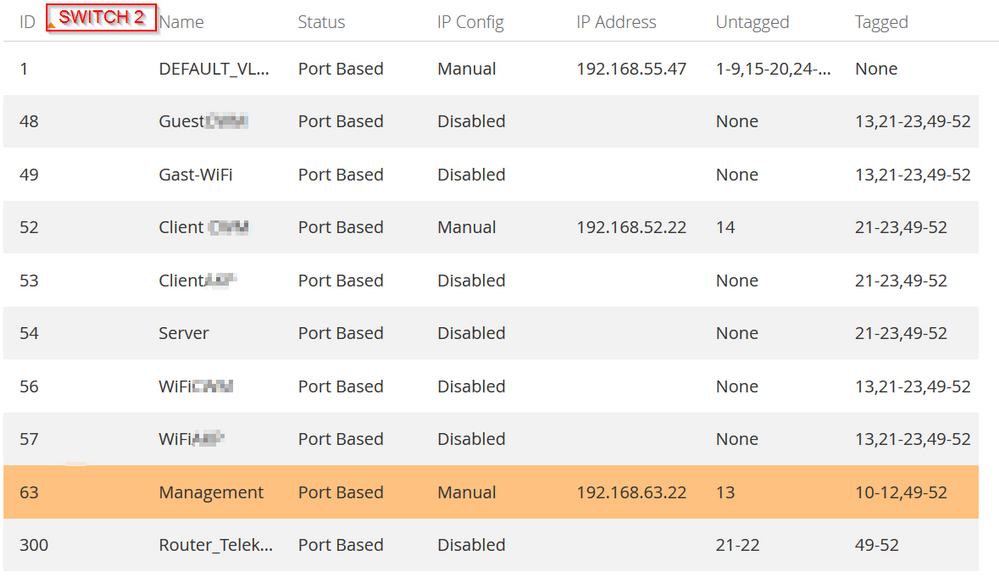
Switch 2 - 2930F (IP Address 192.168.63.22):
Default Gateway: 192.168.55.1 (VLAN 55),
Router with IP 192.168.55.1 on Port 24 (Default VLAN 1)
Switch 3 on port 50
AP 1 on Port 13 (VLAN 63 untagged, Port IP Address 192.168.63.22)
Default VLAN 1 IP Address: 192.168.55.47
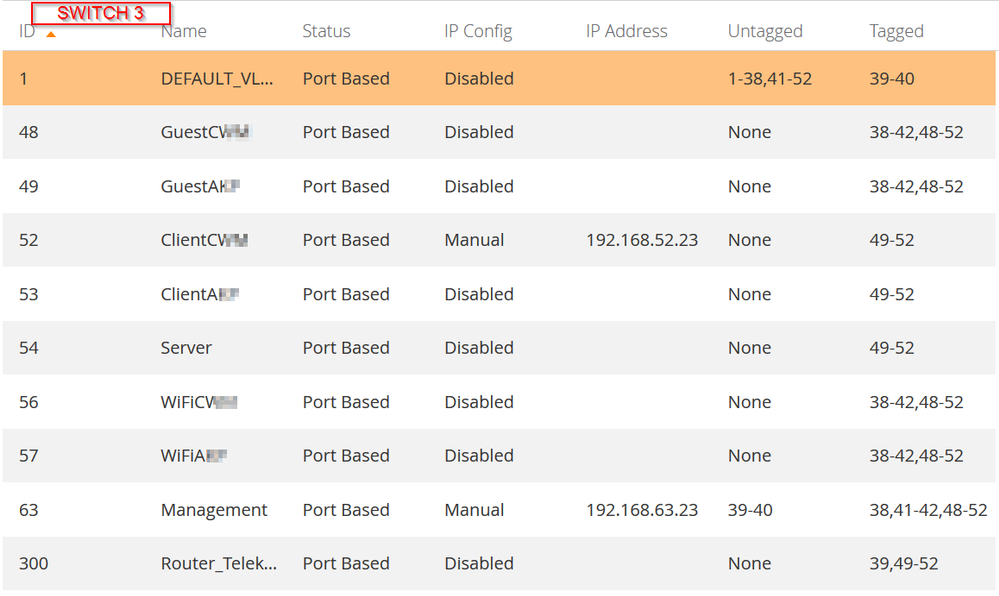
Switch 3 - 2930F (IP Address 192.168.63.23):
Default Gateway: 192.168.52.22
Switch 2 on Port 50
AP 2 on Port 39 (VLAN 63 untagged, Port IP Address 192.168.63.23)
Controller on Port 40 (VLAN 63 untagged)
Controller 7005:
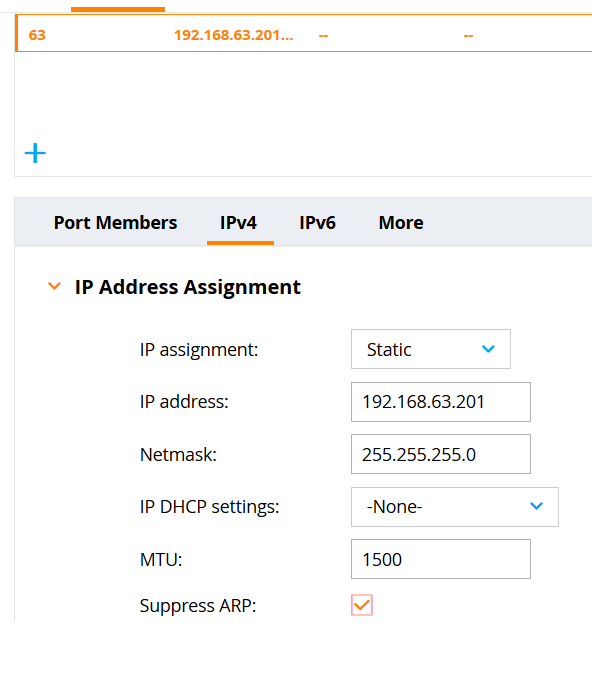
IP: 192.168.63.201
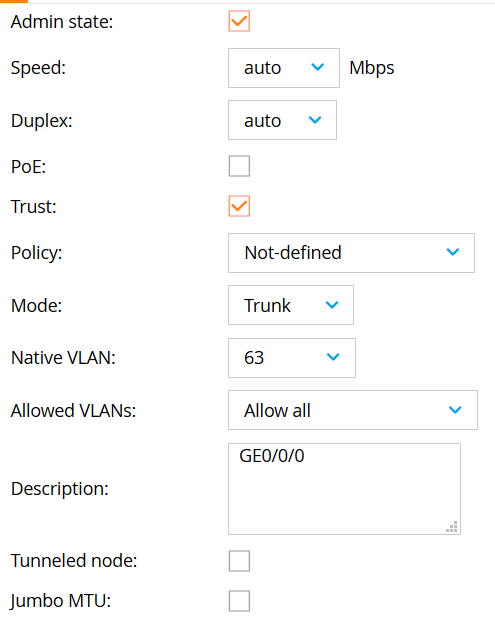
Port 0/0/0 admin state enabled (link to switch 3) all other disabled
Management VLAN 63
Router config as it was told to me from out ISP:
Master:
address 192.168.55.2/24
virtual-address 192.168.55.1/24
vif 48 {
address 192.168.48.2/24
virtual-address 192.168.48.1/24
vif 49 {
address 192.168.49.2/24
virtual-address 192.168.49.1/24
Long story short:
A workmate started this project, now its my. I started with about 90% of the actuall configuration (changed a port and some little things) and i never worked with aruba components before.
All 4 WLANs with different VLANs must get access to the internet.
I have searched on google (where i found this community) and set the trunk port on the controller.
On the switches, the vlans are tagged, and at this point i don´t know where the mistake is.
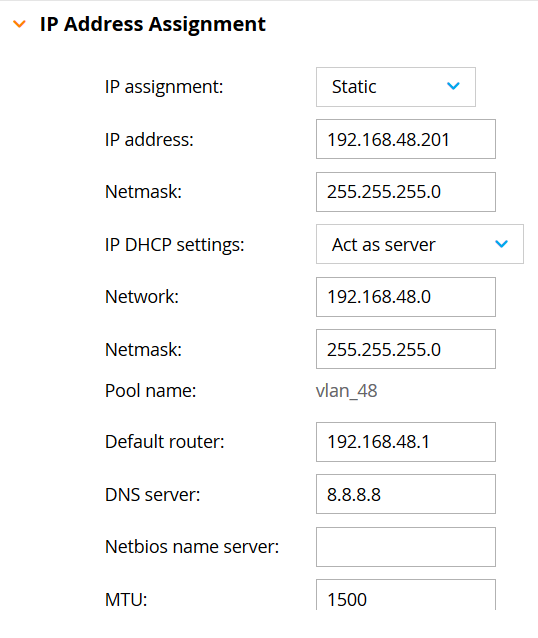
I have added some pictures from the config sites (yes I am a gui fan ;) ), had to blur some parts, because of the company name.
#7005