Security

 View Only
  • 1.  CPPM 6.14.1 problem with comparing expiraton date

    Posted 13 days ago

    Hello ClearPass Security community,

    I've been searching through the internet and also here in forum but haven't found the exact same issue.

    Some articles I've found are meaning this construct should work...

    On the CPPM 6.14.1 I've set an service account (no AD join) which is able to fetch AD attributes. I've added an 

    accountExpires into AD source:
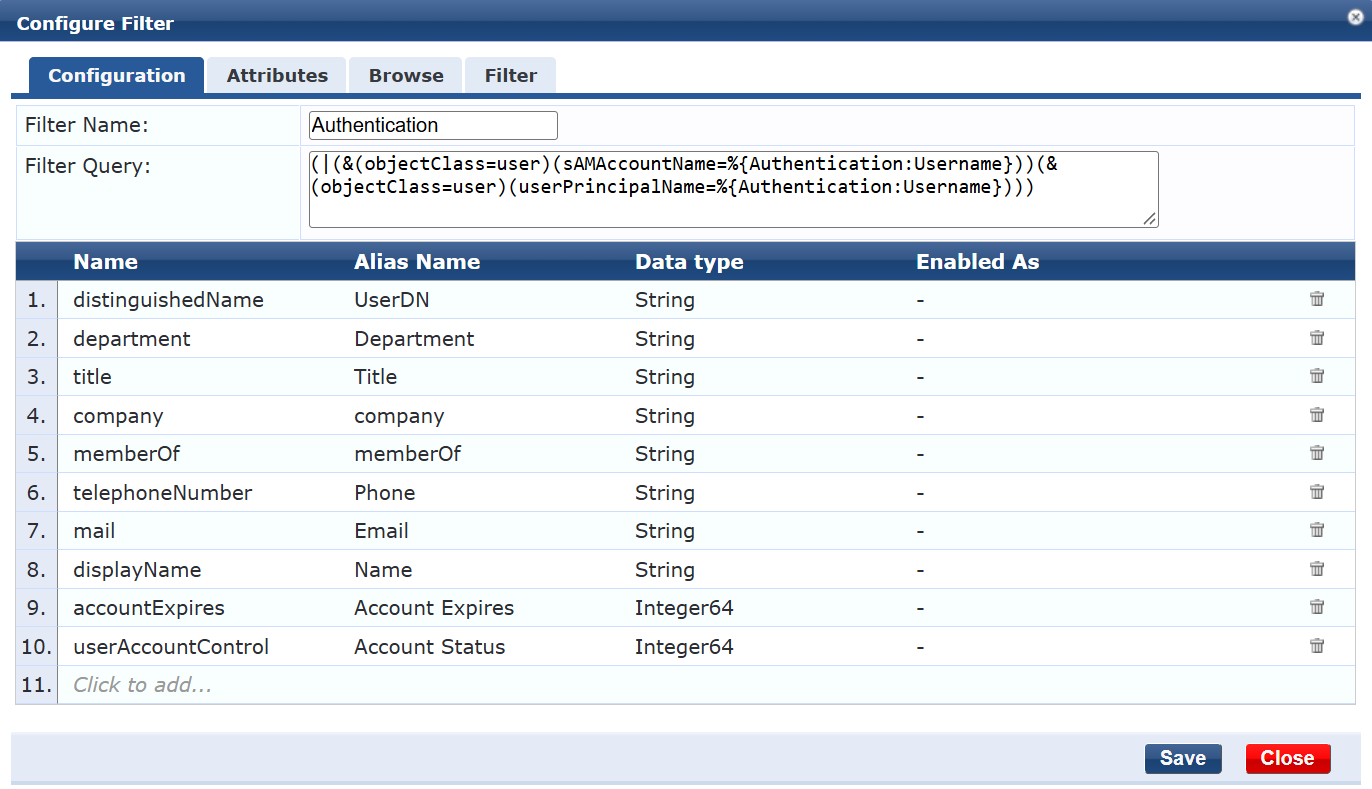
    Then I've added a simple role mapping as a second rule just after role for disabled user:

    Now there is my problem - this role mapping isn't hitting with LESS_THAN or GREATER_THAN. The only comparation

    which is triggering this role is NOT_EQUALS which is of course a nonsense, but I wanted to test a scenario where this

    role mapping statement ends with true definitely. So I though it could be some variable missmatch of both data

    beeing compared? As you can see above the accountExpires is set on CPPM as Integer64, the MS time should be a time

    which equalizes CPPM Linux time and MS time and should be also a Integer64 / BigInt:
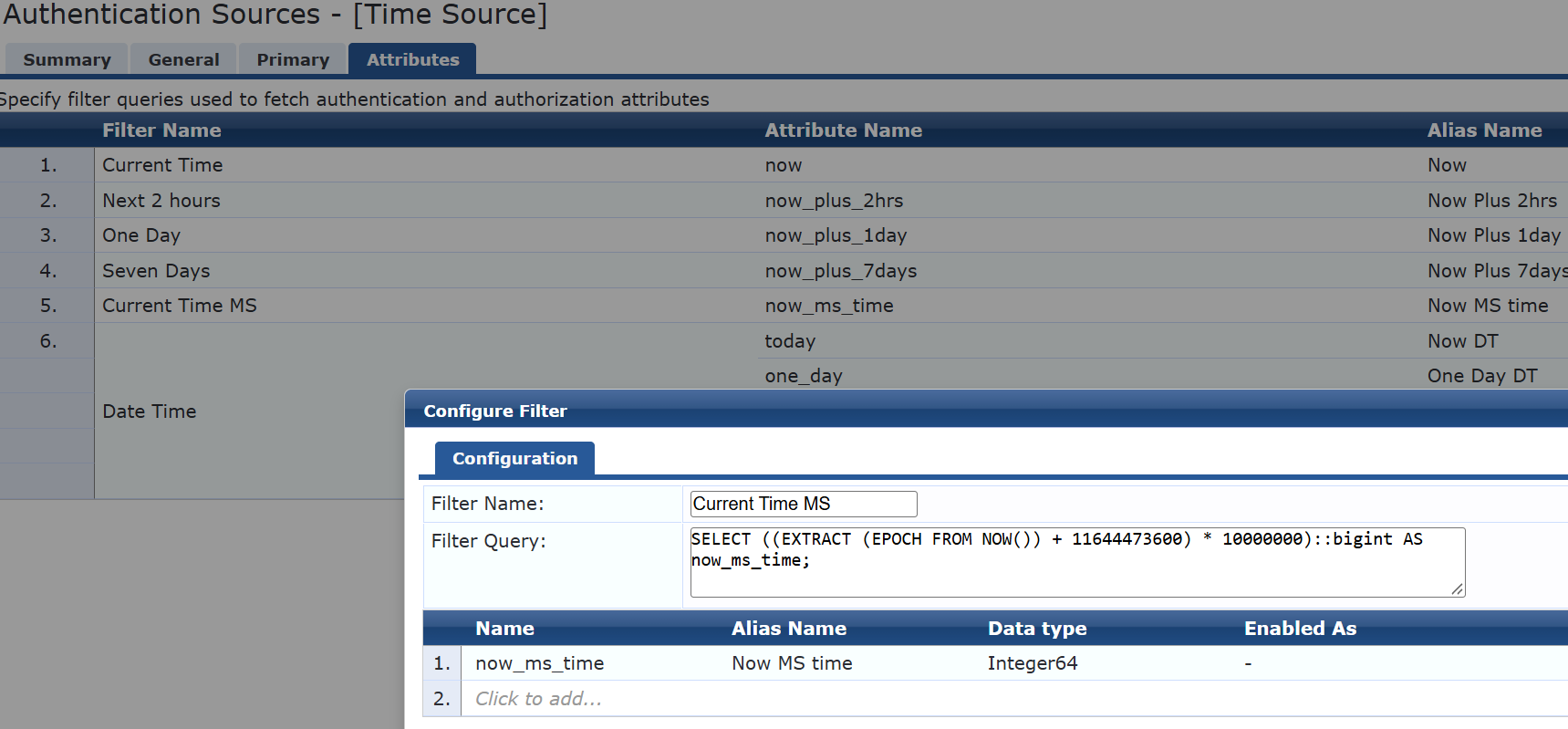
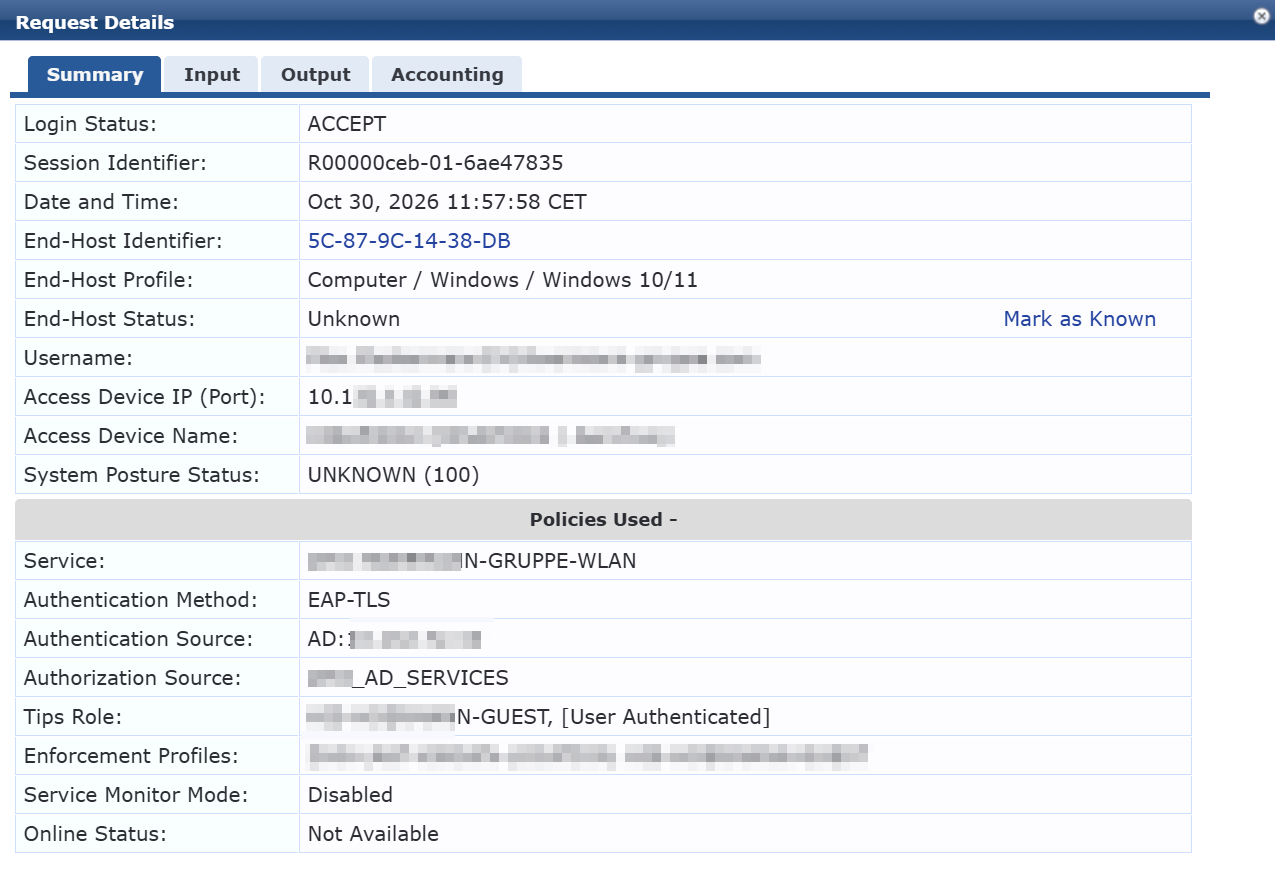
    Here some Access Tracker from 30.10.2026 to proof that the attributes are fetched from AD and to show what actually happened:
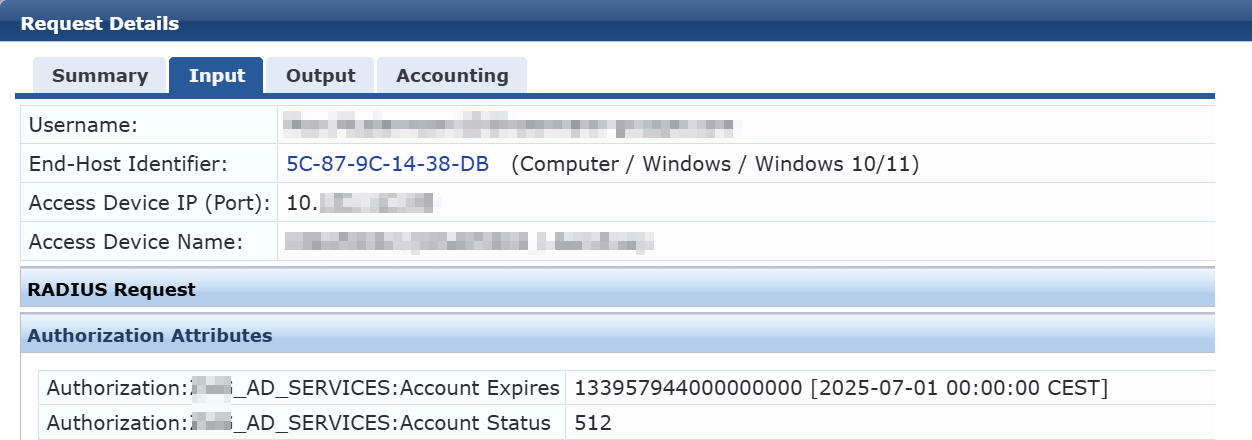
    We can see here that CPPM fetched expiration date, which passed on July 1st 2025:
    and here a role mapping so you can see where the rule for expired user (2nd one)

    and the rule which was actually triggered (bottom) are placed:
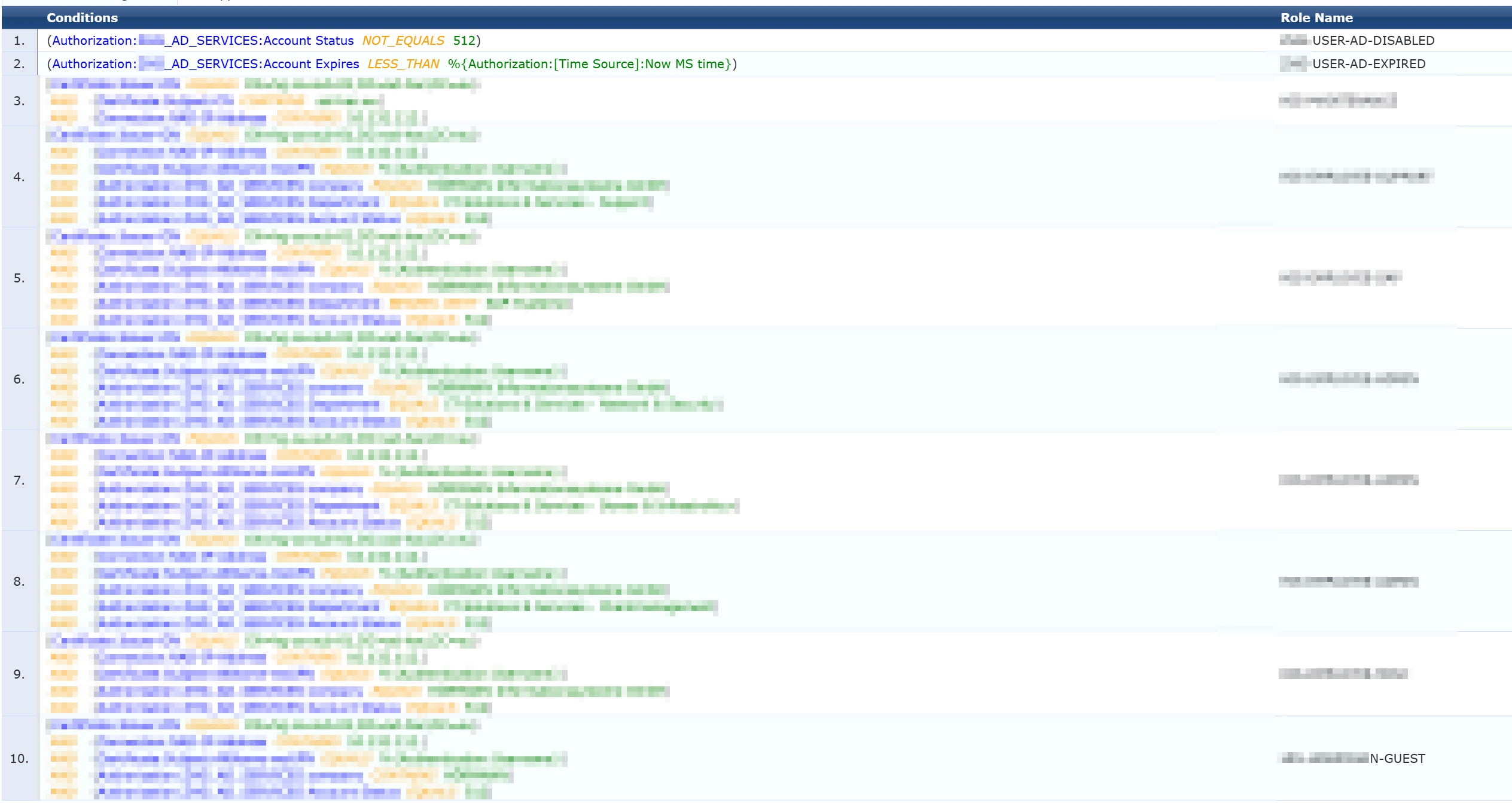
    Does anyone have any idea why this isn't working as expected? Any ideas much appreciated!

    Best Regards,


  • 2.  RE: CPPM 6.14.1 problem with comparing expiraton date
    Best Answer

    Posted 13 days ago

    The clue is that neither LESS_THAN nor GREATER_THAN matches. If the units were simply wrong, one of the two would still come out true. So when the rule runs, the right side isn't a number at all, and NOT_EQUALS matches because it's comparing against an empty value. Open Computed Attributes on that Access Tracker entry. If no [Time Source] value is listed, add [Time Source] to the service's Authorization sources.

    After that, the units have to match. accountExpires is Windows FILETIME: 100 ns ticks since 1601, not Unix seconds or milliseconds. Add a custom filter on [Time Source], type the attribute Integer64, and try:

    SELECT ((EXTRACT(EPOCH FROM NOW()) + 11644473600) * 10000000)::bigint AS now_filetime;

    Then the rule is accountExpires GREATER_THAN 0 AND accountExpires LESS_THAN %{Authorization:[Time Source]:now_filetime}. 9223372036854775807 (never expires) can never be less than now, so GREATER_THAN 0 handles both never-expires values. I haven't run that SQL on 6.14.1, so check the value in Access Tracker before you trust the rule.


    ------------------------------
    Dustin Burns
    @Worldcom Exchange, Inc.
    www.wei.com

    - - -
    The comments I post here are my own, and not my employers
    If my post was useful accept solution and/or give kudos
    Personal Blog: www.networkfieldnotes.com
    - - -
    ------------------------------