Hi Nazr,
Things aren't always that easy and I as well have had many challenges with the SD-BRanch solution.
One thing that I find not that well described is the fact that you need to use different WAN VLANs for your SD-Branch devices
This means that in your case you need 4 VLANs for example 4091-4094
I was actually working on a step-by-step instruction guide to post over here but due to other issues I ran in I never decided to post it
Important steps are:
4 WAN VLANs
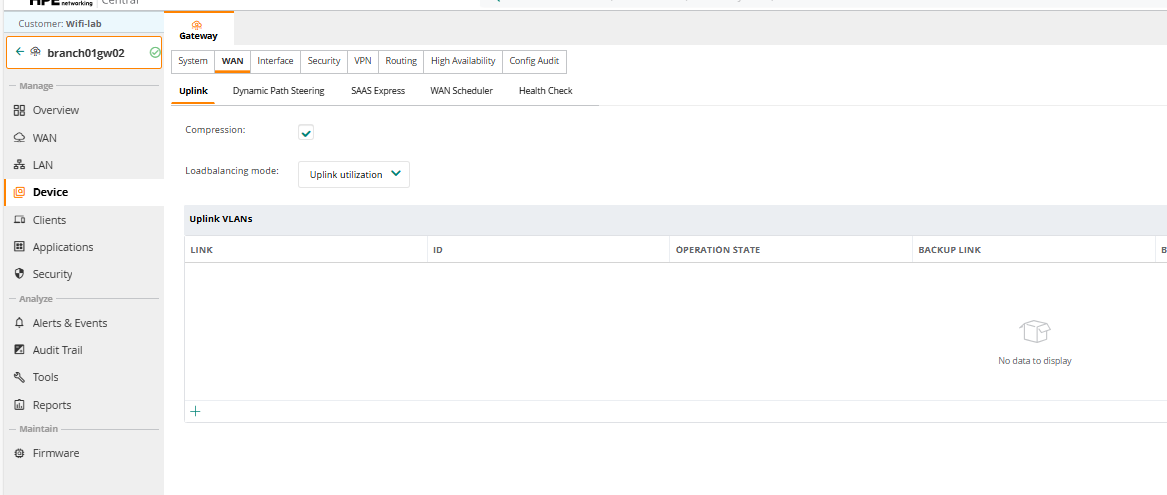
Define uplinks at Device Level Config mode (WAN > Uplink)
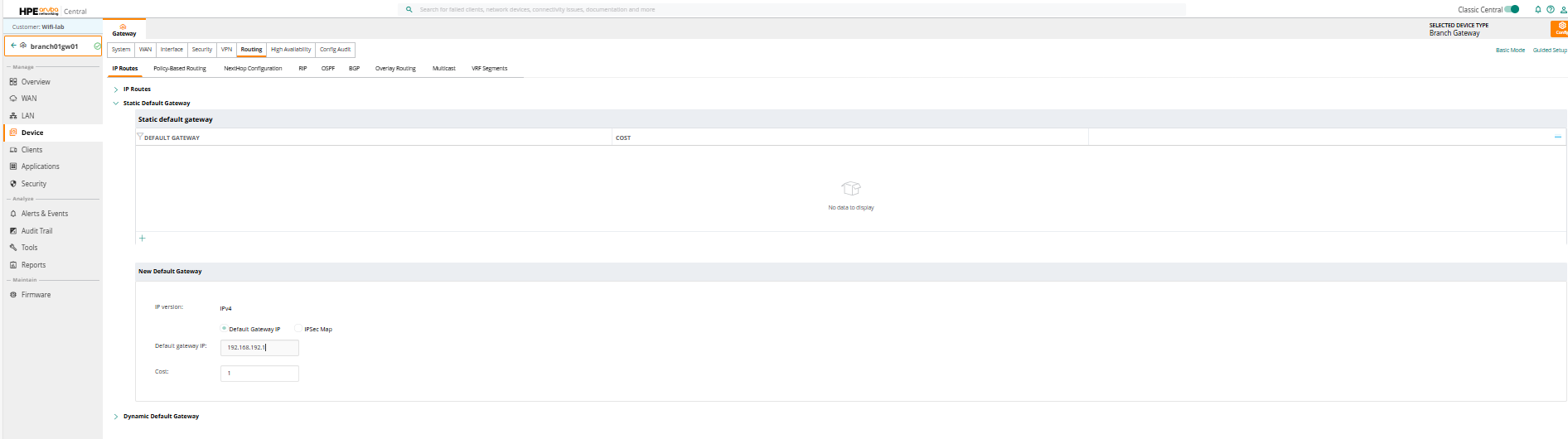
Statically set default gateway at device level mode
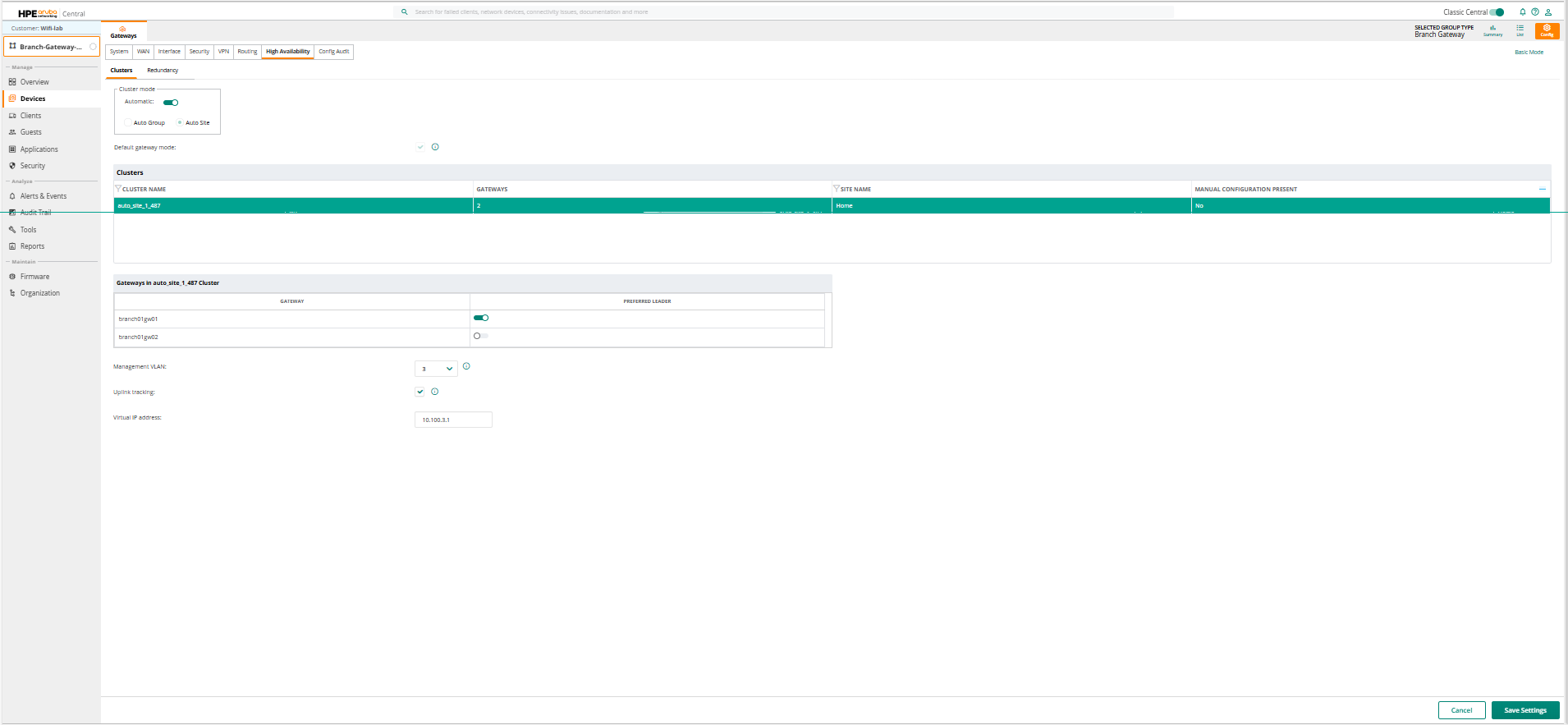
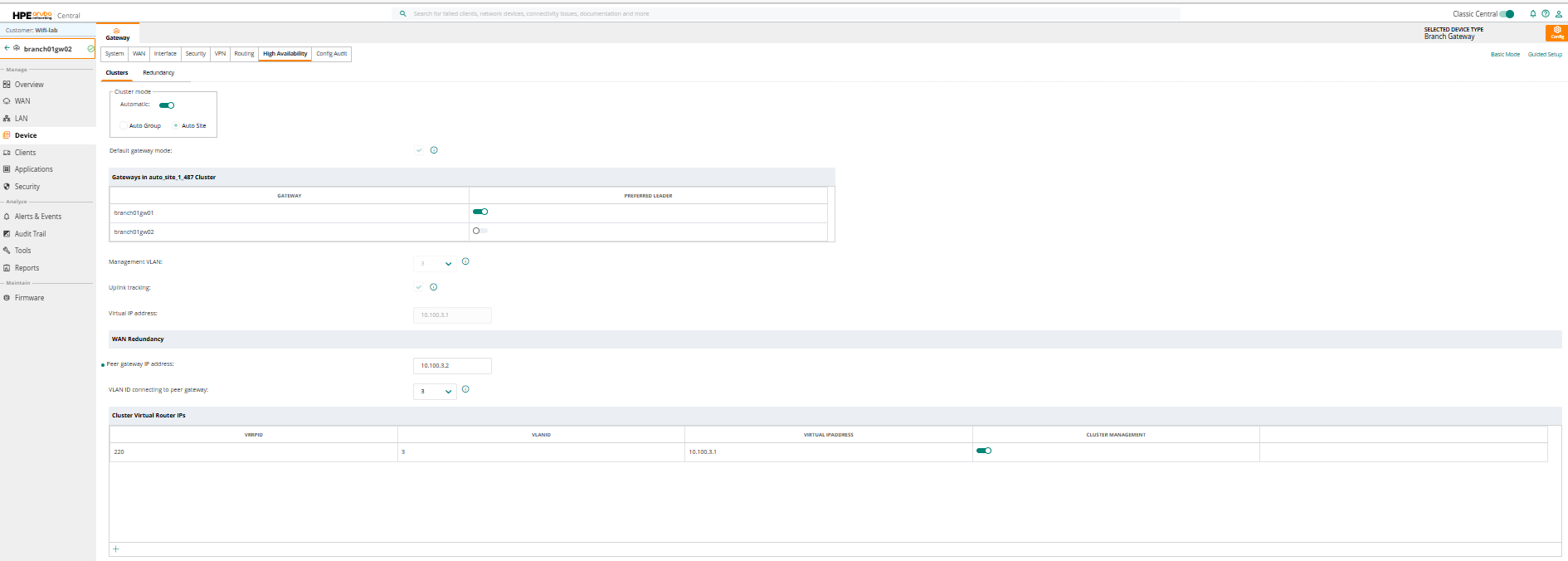
Create High availability
Go to high availabiliy
Select the custer
Select a gateway for the leader role
Set management VLAN and click uplink tracking
Set a virtual IP
For the two Branch gateways to share their WAN links you need to configure Peer gateway IP address at the device level
For branch01gw01
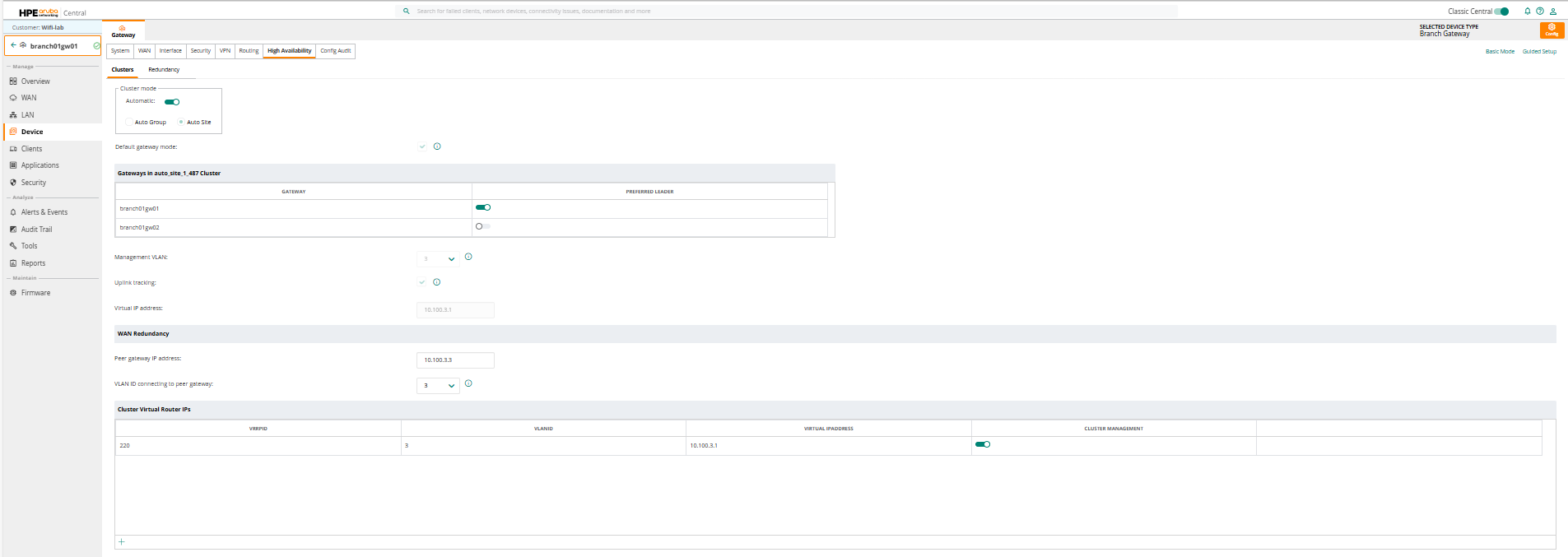
For branchgw02
I think it is also important to have a security license, otherwise it will not work if I am not mistaken.
Here are some screendumps I took, again my instructions are currently incomplete because I am still having issues with the setup, mostly performance issues
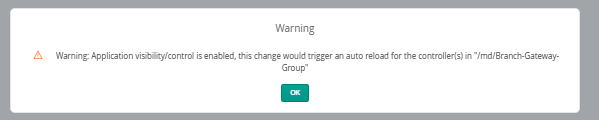
Go to Security > Applications and enable the following settings:
Firewall visibility
Deep packet Inspection
App performance monitoring
Web content classification
IP classification and reputation
The gateways will be rebooted
Step 20: Policy Based routing (group level
Go to Routing > NextHop Configuration
Click the plus sign

I selected WAN Health Check because the IP address is still on my local network
Higher priority means this next hop will be preferred for THIS list

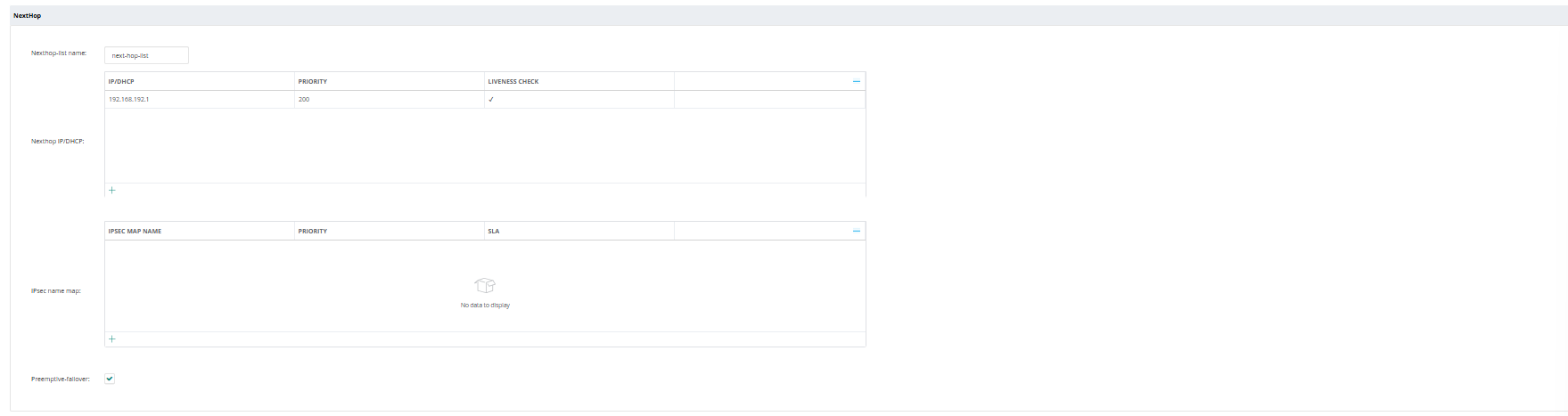
Click another Nexhop IP and add it to the list, I selected Preemptive failover which is the default
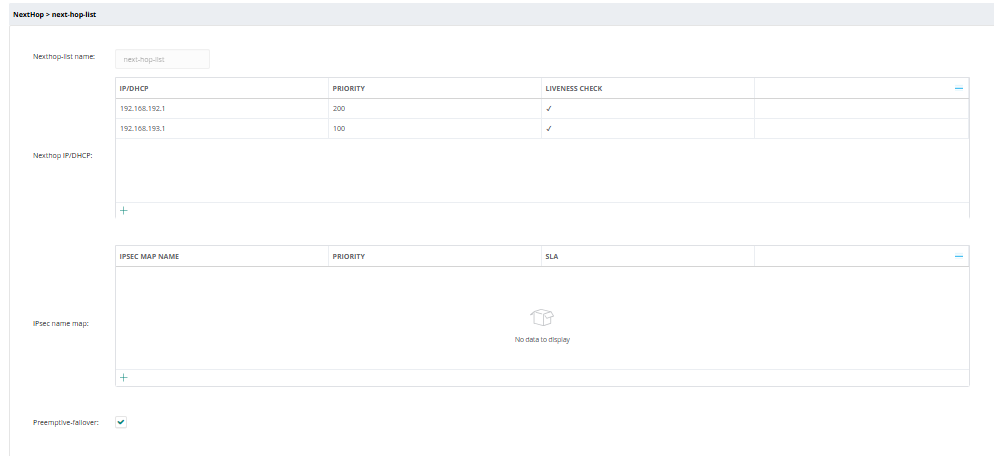
I also created an additional group exactly the reverse of the first next hop list
If you add two next hops you receive a warning message, if you have configured everything as listed all should be good

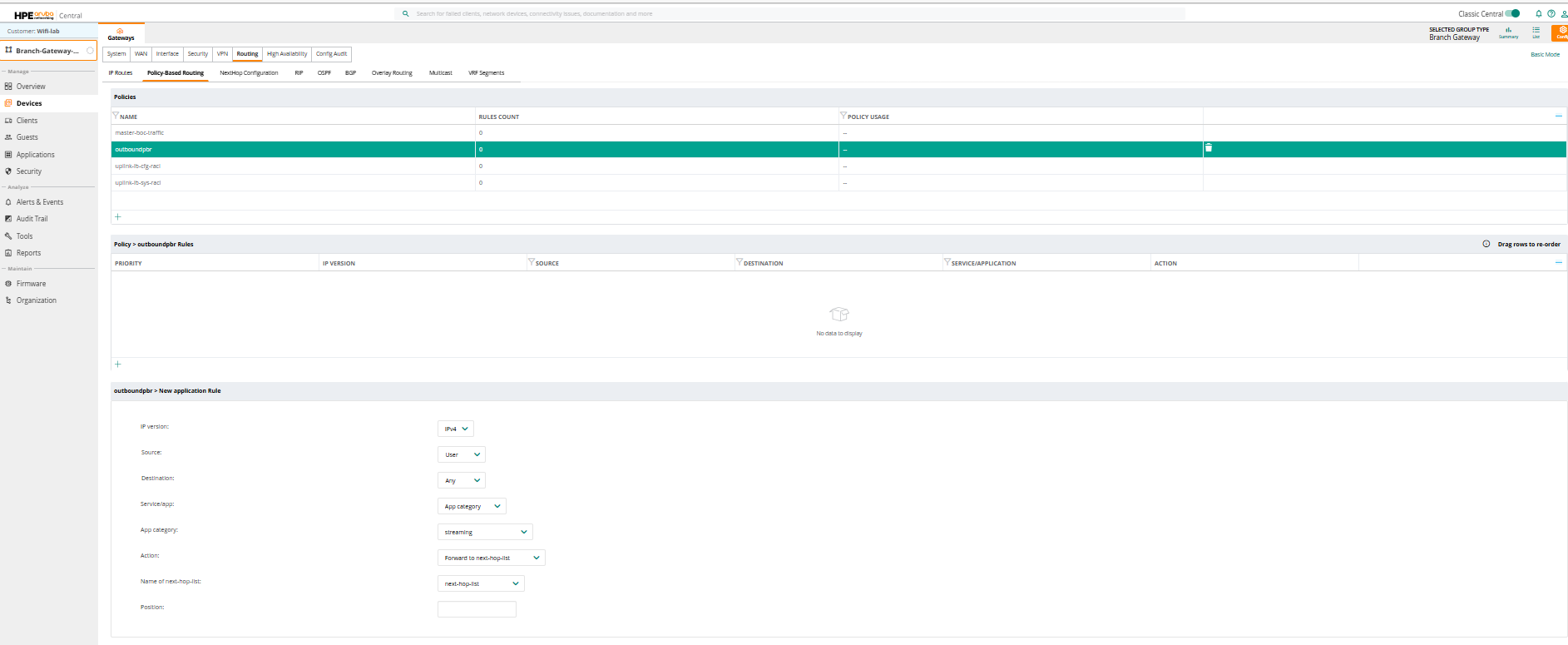
No go to Policy-Based Routing click the plus sign and Give the policy a name

Select the new policy click + and add a new rule
First rule let's streaming prefers my Spectrum Internet, the downstream of this internet connection is better than my Google Fiber connection
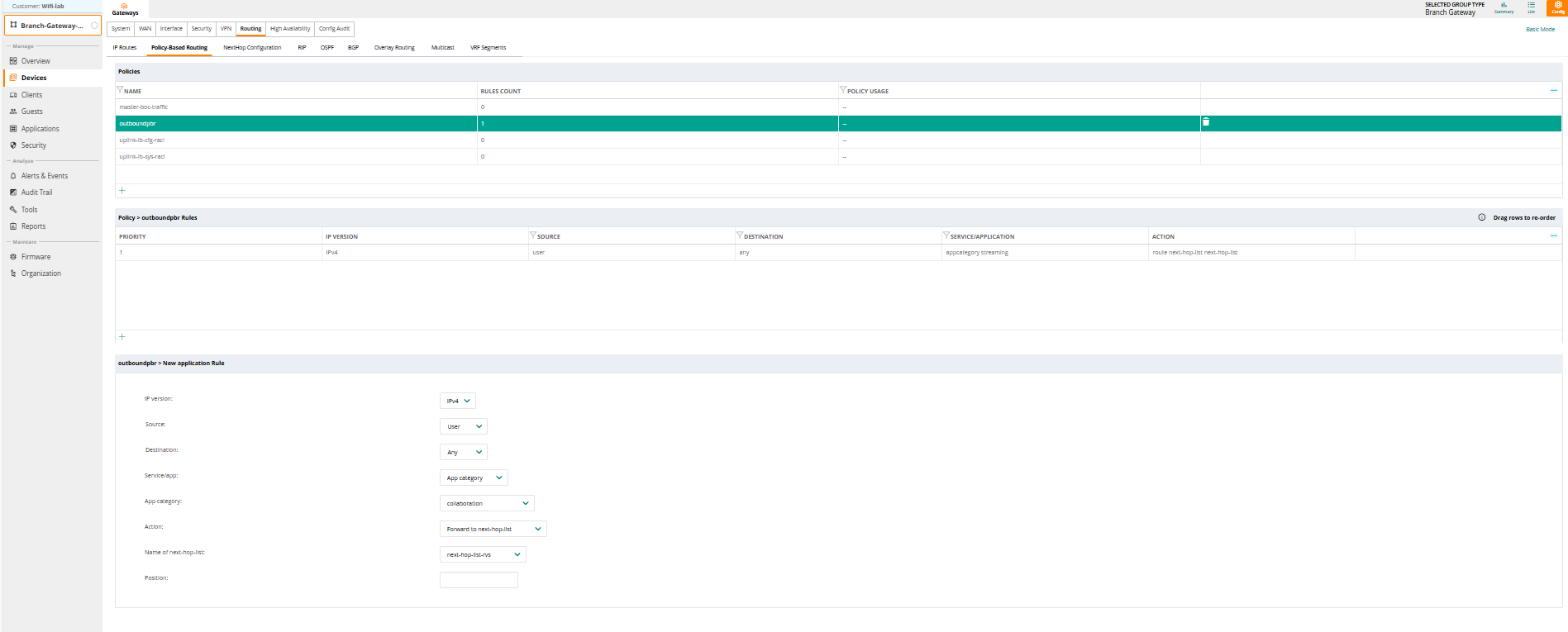
The second rule is preferring my Google connection, this connection is for collaboration which is better with a high upload speed
Now that we have a basic policy we want to apply the policy
You can apply it at the VLAN level as well as at the Role level, Role takes precedence
------------------------------
Martijn van Overbeek
Architect, Netcraftsmen a BlueAlly Company
------------------------------